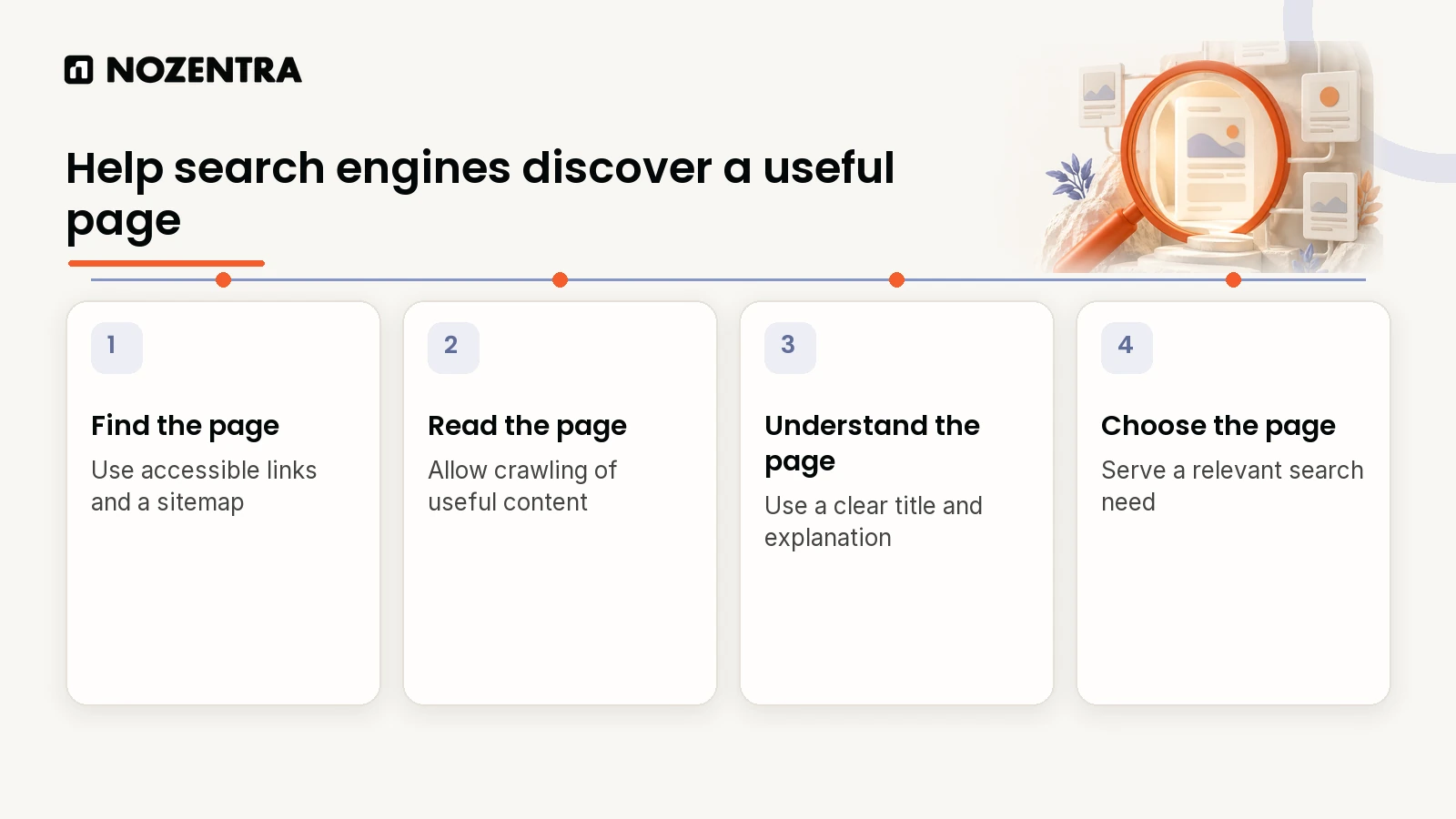
To appear in Google's organic results, a page needs to be discovered, processed for indexing and selected for a relevant search. Start by checking the intended URL in Search Console, then review access, content and links. Eligibility does not guarantee that a page will be indexed or shown.
You cannot pay for any of those steps. Google states that it "doesn't accept payment to crawl a site more frequently, or rank it higher." What you can do is remove the obstacles and give it good reasons to choose you. This guide works through them in order.
Key takeaways
Check you are indexed first. Search Console shows exactly which pages Google has stored and why others were left out.
There is no fixed character limit for titles or descriptions. Google truncates them to fit the screen, so put the important words first.
Google indexes the mobile version of your site, so your mobile pages must contain everything that matters.
Local businesses need a Google Business Profile, ranked on relevance, distance and prominence.
Expect weeks, not days. Google says some changes take hours and others several months.
Step 1: Is Google already indexing your site?
Start by checking what Google already knows about you:
Quick check:     search Google for  site:yourdomain.com
Reliable check:  Google Search Console > Indexing > Pages
Single page:     Search Console > URL Inspection > paste the URL
The site: search gives a rough picture only. Search Console's Page indexing report is the reliable source. It lists pages that are indexed and the reasons others are not, such as "Crawled, currently not indexed" or "Excluded by noindex tag".
If important pages are missing:
Submit an XML sitemap in Search Console.
Link to the page from other relevant pages on your site.
Remove accidental blocks, such as a
noindextag or aDisallowrule in robots.txt.Request indexing with URL Inspection once the page is fixed.
Google's SEO Starter Guide is honest about the limits: "there's no guarantee that any particular site will be added to Google's index," but sites that follow its Search Essentials are more likely to appear.
Step 2: What are people actually searching for?
Find the words customers use, not the words you use internally. Useful sources:
Search Console's Performance report, which shows searches you already appear for
Google Keyword Planner, for approximate search volumes
Google's own suggestions: autocomplete, "People also ask" and related searches
Your sales calls, emails and reviews, which reveal the exact questions people have
Then check what already ranks. If every result is a how-to guide, a sales page will struggle. If every result is a service page, a blog post will too.
Step 3: Does each page clearly say what it is about?
Google recommends descriptive titles, descriptions, headings, URLs and image alt text. A well-structured service page might look like this:
<head>
  <title>Emergency Plumber in Parramatta | 24/7 Callouts | Example Plumbing</title>
  <meta name="description" content="Licensed plumbers available 24/7 across Parramatta. Burst pipes, blocked drains and hot water repairs, with upfront pricing." />
  <link rel="canonical" href="https://www.example.com/emergency-plumber-parramatta" />
</head>
<body>
  <h1>Emergency plumber in Parramatta</h1>
  <h2>What does an emergency callout cost?</h2>
  <img src="/images/van-parramatta.webp" alt="Example Plumbing van outside a home in Parramatta" />
</body>
A few points from Google's documentation that contradict common advice:
| Common advice | What Google actually says |
|---|---|
| Keep titles under 60 characters | "There's no limit on how long a title element can be", but title links are truncated to fit the device width |
| Keep meta descriptions to 150 to 160 characters | "There's no limit on how long a meta description can be", but snippets are truncated as needed |
| Add a meta keywords tag | "Google Search doesn't use the keywords meta tag" |
| Repeat your keyword for relevance | Keyword stuffing "is against Google's spam policies" |
So put the most important words early, write for the person reading the result, and avoid repetition. Google may also rewrite titles and descriptions when it thinks something else on the page describes it better.
Step 4: Is your content the most useful answer?
Being indexed is not the same as ranking. Google's systems aim to reward content that shows experience, expertise, authoritativeness and trustworthiness, known as E-E-A-T.
For a business website, that usually means:
Answer the question directly, near the top of the page.
Show real proof: photos of your work, named case studies, reviews, credentials.
Explain what happens next: pricing, process, timings, service areas.
Keep facts current, especially prices, dates and statistics.
Make it clear who is behind the content and why they are qualified to write it.
Google's helpful content guidance offers a self-assessment you can run against any page. If your pages are indexed but still not ranking, read why indexed pages do not rank.
Step 5: Does your site work well on phones?
Google uses "the mobile version of a site's content, crawled with the smartphone agent, for indexing and ranking." If something only exists on your desktop layout, Google may not see it.
Check that mobile pages have the same text, headings, images, structured data and links as desktop, and that they load quickly. Google's Core Web Vitals targets are an LCP within 2.5 seconds, an INP below 200 milliseconds and a CLS below 0.1. Use PageSpeed Insights to test your most important templates, and Search Console's Core Web Vitals report to see real-user data.
Step 6: Do other sites trust and mention you?
Links and mentions from relevant, credible sites help Google judge which businesses are trustworthy. Earn them through:
Supplier, manufacturer and partner listings
Industry associations and local business groups
Local news coverage and community sponsorships
Original data, guides or tools that others want to reference
Avoid buying links. Google's spam policies list "buying or selling links for ranking purposes" as link spam.
Step 7: How do local businesses show up on Google Maps?
If you serve customers in a specific area, your Google Business Profile matters as much as your website. Google says local results are based mainly on relevance, distance and prominence, and "there's no way to request or pay for a better local ranking."
| What to do | Why it helps |
|---|---|
| Choose accurate primary and secondary categories | Relevance to the searches you want |
| Add services, hours, photos and a clear description | Relevance and trust |
| Set a correct address or service area | Distance |
| Collect and reply to reviews | Prominence |
| Keep your business name, address and phone number consistent across the web | Prominence and trust |
| Create a page for each main service area on your website | Relevance |
This combination works. For VIP Plumbing, we built a new WordPress site with location-specific pages and paired it with Google Business Profile optimisation and local citations. Organic traffic grew by 500% and the business reached the top local position across multiple service areas.
For the difference between local and wider organic work, read what is the difference between local SEO and organic SEO?
Step 8: How do you measure progress?
Track a small set of numbers every month:
| Tool | What to watch |
|---|---|
| Search Console Performance report | Impressions, clicks and average position for your key pages and searches |
| Search Console Page indexing report | New indexing problems on important pages |
| GA4 | Enquiries, calls and sales from Organic Search |
| Google Business Profile performance | Calls, direction requests and website clicks |
Be patient. Google's SEO Starter Guide says "some changes might take effect in a few hours, others could take several months," and suggests waiting "a few weeks to assess whether your work had beneficial effects."
As AI Overviews take up more space in results, it also helps to know how often you appear there. We explain the new reports in how to track AI Overview visibility in Search Console. If you would rather have someone do this with you, see our AI search visibility work or talk to us.
Frequently asked questions
How long does it take for a new website to show up on Google?
A new site can be crawled within days if it has a sitemap and links from other sites, but ranking well for competitive searches usually takes months. Submitting your sitemap in Search Console helps Google find it sooner.
Why is my website not showing up on Google?
The most common reasons are that the page is not indexed yet, it is blocked by a noindex tag or robots.txt, it does not match what people are searching for, or other pages are more useful and trusted. Search Console's URL Inspection tool tells you which applies.
Can I pay Google to show my website at the top?
You can pay for Google Ads, which appear in labelled ad positions. You cannot pay to improve organic or local rankings.
Do I need a Google Business Profile?
If you serve customers in person or within a defined area, yes. It is how you appear in Google Maps and the local results shown for "near me" searches.
Sources
Google Search Central: In-depth guide to how Google Search works
Google Search Central: Influencing title links in Google Search
Google Search Central: Mobile site and mobile-first indexing best practices
Google Search Central: Creating helpful, reliable, people-first content
Google Business Profile Help: Tips to improve your local ranking on Google